Kali Linux vs Parrot OS: Which is Best for Pen Testing?
When choosing between Kali Linux vs Parrot OS, both are top choices for penetration testing and cybersecurity tasks. These Linux distributions cater to ethical hackers and security professionals, offering a wide range of specialized tools. In this article, we’ll explore the differences, features, and performance of each OS to help you decide which is best for your needs.
What is Kali Linux?
Kali Linux is a powerful Debian-based distribution developed by Offensive Security, designed for penetration testing and security auditing. With over 600 pre-installed tools, it’s one of the most popular choices for professionals in the ethical hacking community.
Key Features of Kali Linux:
- Pre-installed Tools: Kali offers more than 600 tools for penetration testing, forensics, and vulnerability assessments.
- Free and Open Source: Kali is free to use and modify, making it accessible for anyone in the security field.
- Highly Customizable: Customize everything from the kernel to the user interface to fit your specific needs.
- Wide Wireless Support: Kali supports a broad range of wireless devices and USB adapters for advanced penetration testing.
- Optimized Kernel: Kali’s kernel is designed to support security operations, particularly wireless testing.
What is Parrot OS?
Parrot OS is another Debian-based security distribution designed for penetration testers, developers, and privacy-focused users. Unlike Kali, Parrot OS places a stronger emphasis on privacy tools such as TOR, making it a great choice for those who need to remain anonymous during their security assessments.
Key Features of Parrot OS:
- Free and Open Source: Like Kali, Parrot OS is completely open-source and free to use.
- Lightweight: Parrot runs smoothly on low-resource systems, making it an excellent choice for older hardware.
- Built-in Privacy Features: Parrot comes with TOR and other privacy tools, ensuring secure and anonymous testing.
- Sandboxed Environment: Parrot OS is designed with security in mind, regularly updated with patches to defend against cyber threats.
- Developer-Focused: In addition to penetration testing, Parrot also supports software development and digital forensics.
Kali Linux vs Parrot OS: A Feature Comparison
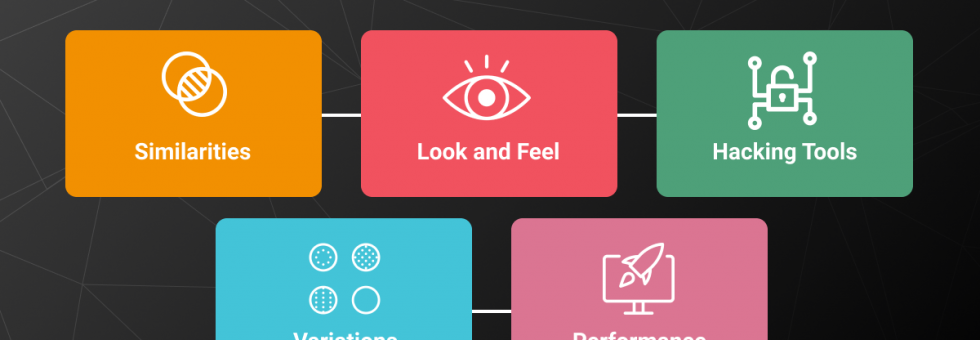
Let’s dive into the similarities and differences between Kali Linux vs Parrot OS to better understand their strengths and weaknesses.
Similarities:
- Penetration Testing: Both OSs are designed for security professionals and penetration testers.
- Pre-installed Tools: Both come equipped with a variety of tools for hacking and security research.
- Debian-Based: Kali and Parrot both follow Debian development standards, ensuring stability and compatibility with various software packages.
- Cloud VPN Support: Both systems support cloud VPN, which is essential for secure remote testing.
Key Differences Between Kali Linux vs Parrot OS:
- Hardware Requirements:
- Parrot OS: No graphical acceleration required, 320MB RAM minimum.
- Kali Linux: Requires higher hardware specs, including at least 1GB RAM for optimal performance.
- User Interface:
- Parrot OS: Uses the Ubuntu-Mate desktop, which is clean and user-friendly.
- Kali Linux: Uses GNOME, which can feel cluttered and may be more difficult for new users.
- Additional Tools:
- Parrot OS includes privacy tools like Wifiphisher for Wi-Fi testing and Anonsurf for anonymizing your system.
- Kali Linux has a more extensive toolset for professional testing but lacks some of the privacy features found in Parrot.
- Performance:
- Parrot OS: Lightweight and optimized for smooth operation on low-end hardware.
- Kali Linux: Can be slow on low-end systems, especially when multiple tools are running.
Choosing Between Kali Linux vs Parrot OS
When comparing Kali Linux vs Parrot OS, it ultimately comes down to your specific needs:
- Kali Linux is ideal for users who need an extensive set of tools for penetration testing and are working with higher-end hardware.
- Parrot OS is better for those who prioritize privacy, work on lower-end systems, or need a lightweight, efficient OS.
Boost Your Security with ZippyOPS
No matter which OS you choose, integrating ZippyOPS managed services can optimize your security infrastructure. ZippyOPS provides consulting, implementation, and managed services in DevOps, Cloud, DevSecOps, Automated Ops, and Microservices, offering the support you need for robust security testing and infrastructure management.
Our services include advanced solutions in Cloud Security, AIOps, and MLOps, all designed to improve your operational efficiency and security posture. For more information, check out our Services, Solutions, and Products pages. You can also explore our YouTube channel for in-depth tutorials and demos.
Conclusion
Both Kali Linux vs Parrot OS are excellent choices for ethical hackers and penetration testers. Your decision depends on factors such as hardware capabilities, privacy requirements, and the specific tools you need. Additionally, integrating ZippyOPS managed services can streamline your cybersecurity operations and provide you with expert guidance to enhance your security framework.
For a personalized consultation, reach out to sales@zippyops.com.



