DevSecOps Automation: Securing CI/CD Without Slowing Down
DevSecOps automation brings security into every step of modern software delivery. Instead of adding controls at the end, teams embed protection from the start. As a result, applications ship faster and stay secure at scale.
DevOps transformed how teams build and release software. However, traditional “bolt-on” security could not keep up with continuous delivery. Security checks often happened late, which created delays and risk. Because of this, DevSecOps emerged to integrate security across the software development lifecycle (SDLC). When automation powers this approach, security becomes consistent, visible, and fast.
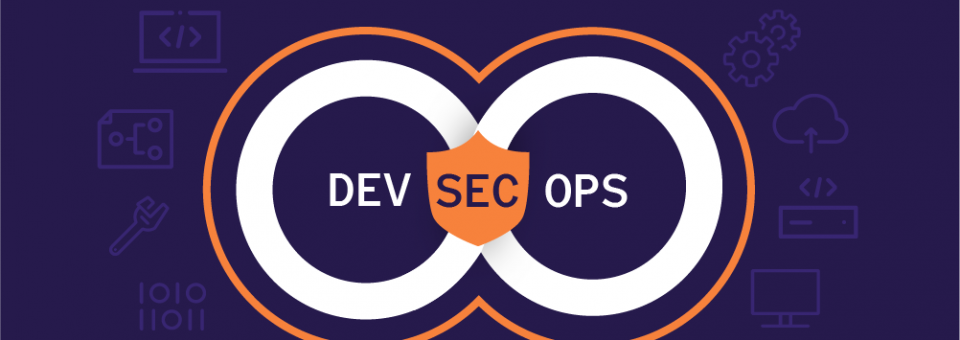
What Is DevSecOps Automation?
DevSecOps automation means embedding automated security checks into CI/CD pipelines. These checks run continuously, from code commit to production. Therefore, teams catch issues early, when fixes cost less and take less time.
With automation, developers, operations, and security teams share responsibility. At the same time, they do not need to become security experts. Self-service tools scan code, dependencies, infrastructure, and configurations automatically. Consequently, teams remove manual bottlenecks and improve collaboration.
Security no longer slows delivery. Instead, automated checks improve quality while keeping release velocity high. Moreover, better visibility across the SDLC helps teams trace root causes and respond with confidence.
When Is the Right Time to Adopt DevSecOps Automation?
If your organization already uses DevOps, the right time is now. Data breaches continue to rise, and application flaws remain a leading cause. Many vulnerabilities reach production simply because security was not part of the build process.
According to widely cited industry research, most web applications contain exploitable weaknesses. In addition, public databases like the NVD report thousands of new CVEs every quarter. Because of this growth, manual reviews alone cannot keep up.
Automating security throughout the DevOps lifecycle helps teams inspect code continuously and remediate issues before release. Therefore, risks drop, and teams avoid costly rollbacks and incidents.
How to Build a DevSecOps Automation Strategy
A successful DevSecOps automation program needs a clear plan. Tool sprawl, alert fatigue, and poor integration can slow progress. The steps below help teams build a practical and scalable strategy.
1. Define Your DevSecOps Automation Needs
Start by reviewing current security practices. Identify gaps in code scanning, infrastructure security, and compliance. Then, select tools that match your delivery goals. Because simplicity matters, focus on solutions that balance speed with accuracy.
2. Secure Code Dependencies Early
Modern applications rely heavily on open-source and third-party code. However, these dependencies often introduce hidden risks. Automated dependency scanning checks libraries against known vulnerability databases and flags issues early. As a result, insecure components never reach production.
3. Choose Tools That Fit CI/CD
DevSecOps automation works best when tools integrate seamlessly with pipelines. Select scanners and policy engines that run automatically and deliver actionable results. Moreover, tools should support cloud-native stacks, microservices, and containerized workloads.
4. Include Threat Modeling in DevSecOps Automation
Threat modeling helps teams think like attackers. While it cannot be fully automated, it complements automated checks. Regular modeling uncovers design-level risks that tools may miss. Consequently, teams build stronger architectures from the start.
5. Automate Security Testing Across the SDLC
Automate static analysis, dynamic testing, configuration checks, and vulnerability management. Align these tests closely with DevOps workflows. Because of this alignment, security feels like part of development rather than a separate gate.
6. Integrate Security Into CI/CD Pipelines
Security controls should run at every stage of CI/CD. However, they must not slow builds unnecessarily. Flexible automation supports multiple tech stacks, clouds, and environments. For example, teams can combine source code analysis with runtime monitoring.
7. Monitor Continuously With DevSecOps Automation
Continuous monitoring validates that controls work as expected. It also improves observability and audit readiness. As a result, teams detect issues faster and reduce downtime in production.
8. Cross-Train Teams for Shared Ownership
Automation succeeds when people understand it. Train developers, operators, and security engineers on secure coding and tooling. In addition, promote open communication. This shared mindset drives lasting security improvements.
10 Key Benefits of DevSecOps Automation
1. Faster Software Delivery
Automated security accelerates the SDLC while maintaining protection.
2. Reduced Manual Effort
Repetitive security tasks run automatically, freeing teams to focus on innovation.
3. Accurate and Consistent Code Checks
Automated scans deliver reliable results without delaying releases.
4. Uniform Security Controls
Every build follows the same security standards, every time.
5. Self-Service Security for Developers
Developers fix issues early using built-in tools, without waiting on reviews.
6. AI-Driven Threat Detection
Modern platforms use AI and ML to analyze logs and predict risks.
7. High Scalability
Automation scales easily as infrastructure and workloads grow.
8. Automated Compliance and Reporting
Security policies align with industry guidance such as NIST and software supply-chain frameworks from organizations like Gartner and Google. For example, NIST’s secure software development guidance supports integrating controls early in the SDLC.
9. Lower Costs Over Time
Early fixes reduce incident response costs and protect brand trust.
10. Shift-Left Security
Security starts at the developer workstation, not in production. Consequently, teams resolve issues faster and build secure habits.
How ZippyOPS Enables DevSecOps Automation at Scale
ZippyOPS helps organizations design, implement, and manage DevSecOps automation with confidence. The team provides consulting, implementation, and managed services across DevOps, DevSecOps, Cloud, DataOps, AIOps, MLOps, Automated Ops, Microservices, Infrastructure, and Security.
By aligning security with business goals, ZippyOPS enables secure CI/CD pipelines without friction. Learn more about their capabilities through their
Services: https://zippyops.com/services/
Solutions: https://zippyops.com/solutions/
Products: https://zippyops.com/products/
For practical demos and walkthroughs, explore the ZippyOPS YouTube channel:
https://www.youtube.com/@zippyops8329
In Summary
DevSecOps automation turns security into a continuous, shared practice. It protects applications without slowing delivery. When teams automate wisely and train consistently, they gain speed, trust, and resilience.
If you are ready to secure your pipelines and scale with confidence, connect with ZippyOPS today at sales@zippyops.com.



